


canal监听mysql的binlog
1、mysql配置
1、开启binlog
修改mysql的配置文件:my.conf
[mysqld]
# 注意,server_id不能和canal中的server_id相同
server_id=2
log_bin = mysql-bin
# 固定ROW
binlog_format = ROW
max_binlog_size=100M
expire_logs_days = 30
查看开启情况
show variables like'log_%';
2、给mysql创建canal账号
如: canal/123456
设置账号密码
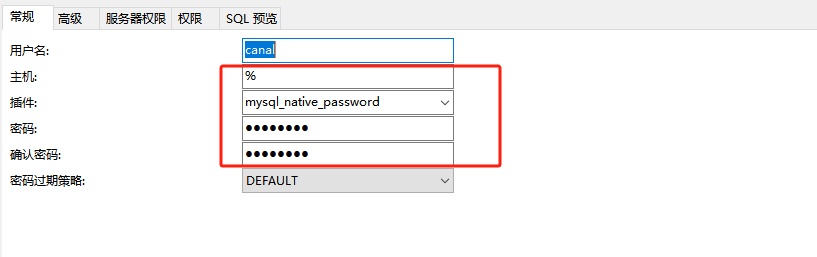
设置mysql权限
设置表的权限
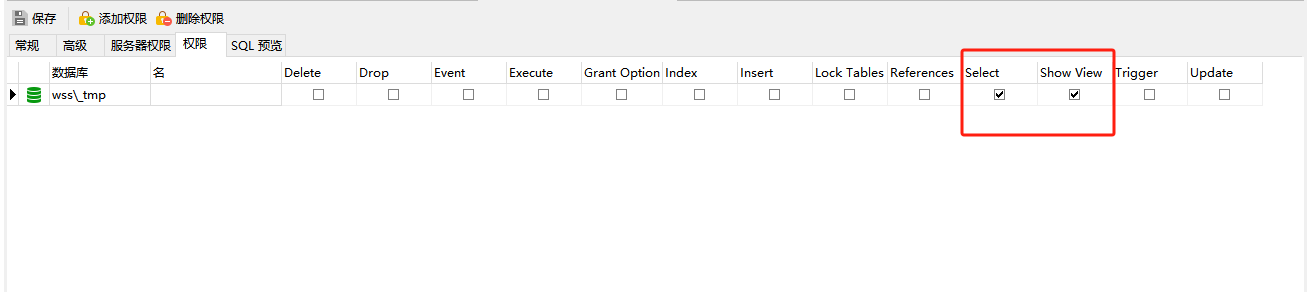
canal配置
1、安装
这里使用源码安装
1、下载源码,编译
mvn clean install -Dmaven.test.skip -Denv=release
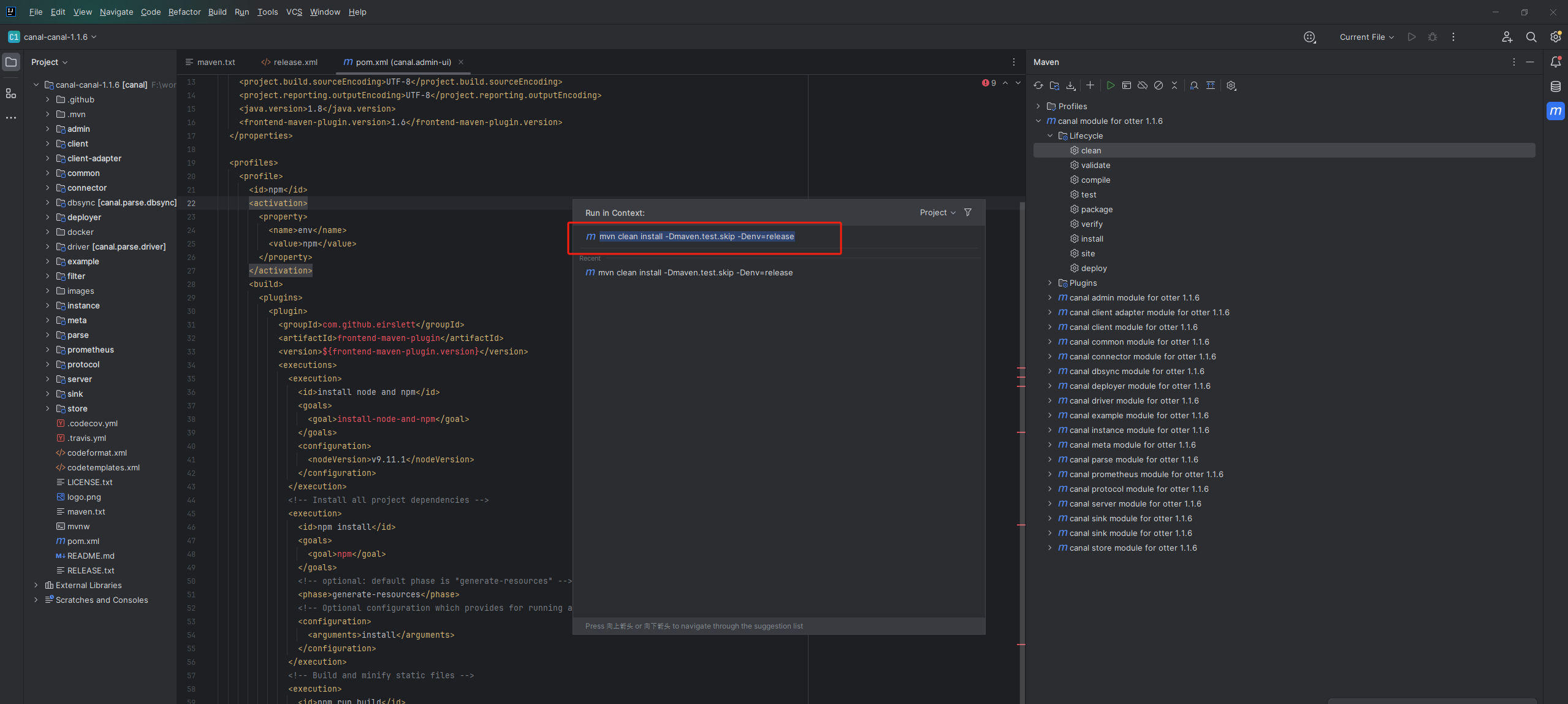
源码下载
https://gitee.com/leechi78/canal
https://github.com/netty/netty.git
阿里云盘
编译之后文件
已上传阿里云盘
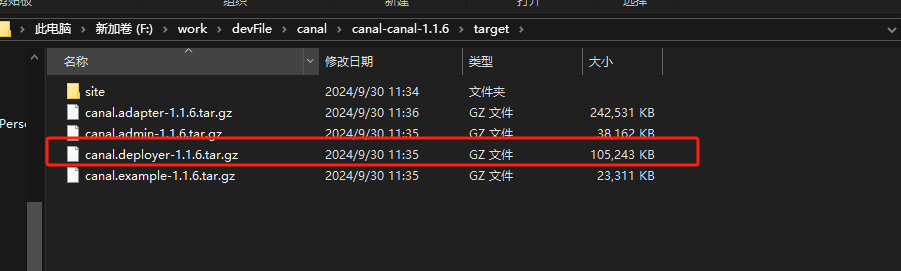
2、将canal.deployer-1.1.6.tar.gz上传到服务器中并解压
tar -zxvf canal.deployer-1.1.6.tar.gz

2、配置canal
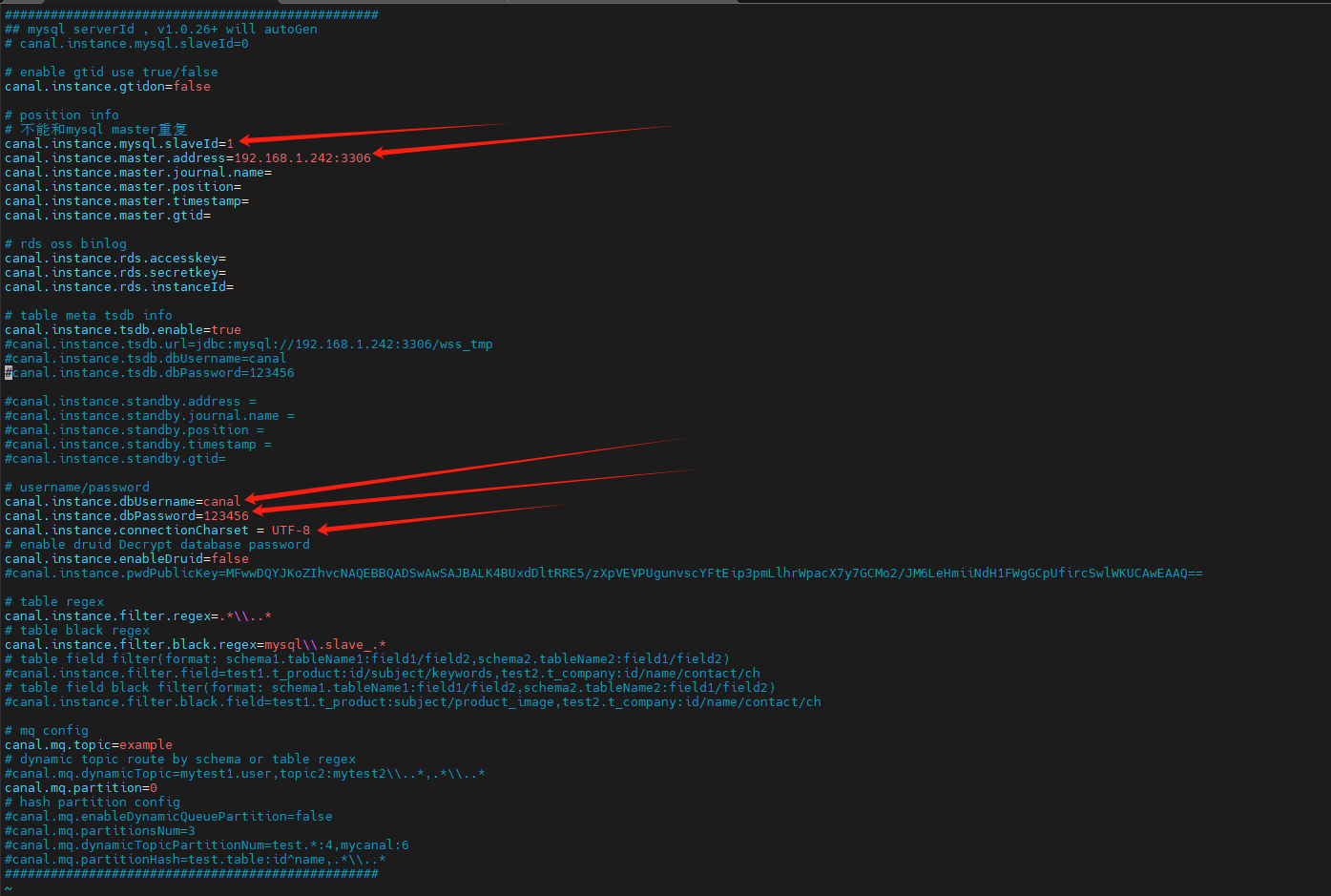
1、instance.properties
该文件主要是配置mysql
路径:canal/conf/example
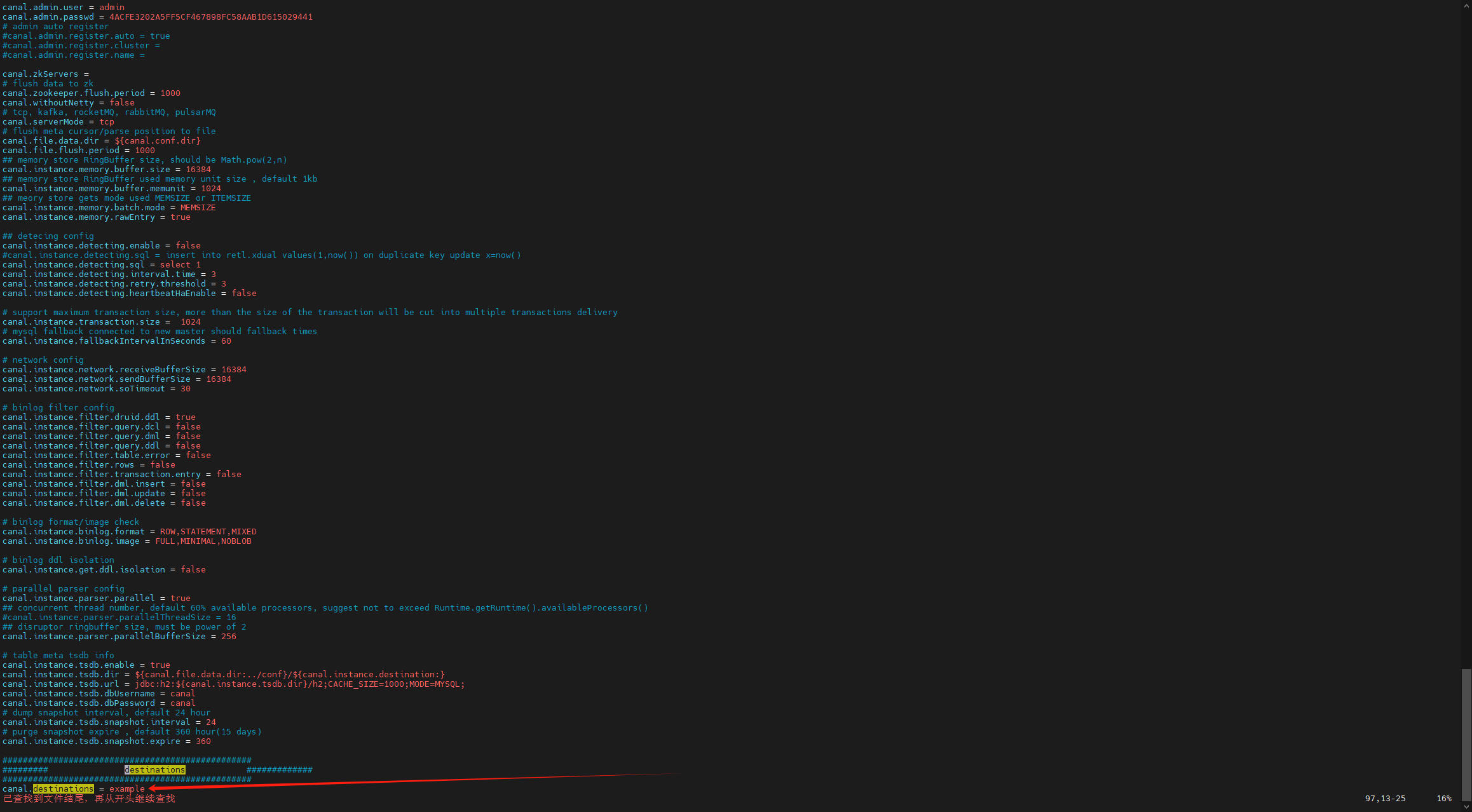
2、canal.properties
路径:canal/conf
注意:canal.destination配置要与后面springboot中的配置保持一致
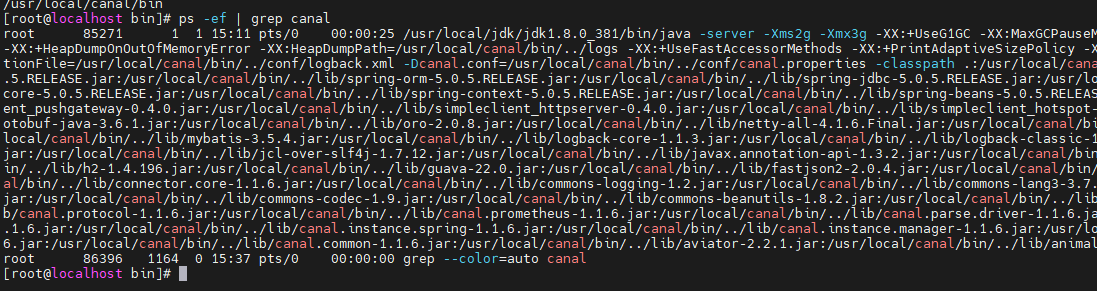
3、启动

4、查看日志


springboot整合canal
1、依赖:
        <dependency>
            <groupId>top.javatool</groupId>
            <artifactId>canal-spring-boot-starter</artifactId>
            <version>1.2.1-RELEASE</version>
        </dependency>
该依赖已上传到阿里云盘
2、yum配置
canal:
# 要与canal服务配置保持一致
  destination: example
  server: 192.168.1.242:11111
#  user-name: canal
#  password: 123456
3、配置binlog监听
如:表sys_dict_item
注意,该实体类SysDictItem中字段,要与数据库字段完全一致,如下面例子
package com.wss.canaldemo.config;

import com.alibaba.fastjson.JSONObject;
import lombok.extern.slf4j.Slf4j;
import org.springframework.stereotype.Component;

import top.javatool.canal.client.annotation.CanalTable;
import top.javatool.canal.client.handler.EntryHandler;

@Slf4j
@CanalTable("sys_dict_item")
@Component
public class UserHandler implements EntryHandler<SysDictItem> {

//    @Autowired
//    private RedisHandler redisHandler;
//    @Autowired
//    private Cache<Long, Item> itemCache;

    @Override
    public void insert(SysDictItem item) {
        System.out.println("insert," + JSONObject.toJSONString(item));
        // 写数据到JVM进程缓存
        //itemCache.put(item.getId(), item);
        // 写数据到redis
        //redisHandler.saveItem(item);
    }

    @Override
    public void update(SysDictItem before, SysDictItem after) {
        System.out.println("update before," + JSONObject.toJSONString(before));
        System.out.println("update after," + JSONObject.toJSONString(after));
        // 写数据到JVM进程缓存
        //itemCache.put(after.getId(), after);
        // 写数据到redis
        //redisHandler.saveItem(after);
    }

    @Override
    public void delete(SysDictItem item) {
        System.out.println("delete," + JSONObject.toJSONString(item));
        // 删除数据到JVM进程缓存
        //itemCache.invalidate(item.getId());
        // 删除数据到redis
        //redisHandler.deleteItemById(item.getId());
    }
}
package com.wss.canaldemo.config;

import lombok.Data;

@Data
public class SysDictItem {

    private Long id;
    private String dict_type;
    private String label;
    private String item_value;

}
4、启动测试
新增

修改

删除
